
Is the Tasty Pins WordPress Plugin Worth Your Time & Money?
One of the main benefits to Pinterest marketing is getting more traffic to your website or blog.
However, unlike a traditional search engine, there aren’t many search engine optimization (SEO) tools out there to help you get the best results out of your efforts on Pinterest.
The good news is that there is a plugin on the market that offers you the chance to optimize your site for Pinterest.
In today’s article, we’ll be taking a deep dive into the Tasty Pins WordPress Plugin and deciding it is with your time and and money.
What is the WP Tasty Pins Plugin?
Essentially, the WP Tasty Pins Plugin is similar to other, more common, SEO tools such as Yoast or Rank Math. Tasty Pins optimizes all the images on your website or blog for use on Pinterest while supporting both your Google and Pinterest SEO.
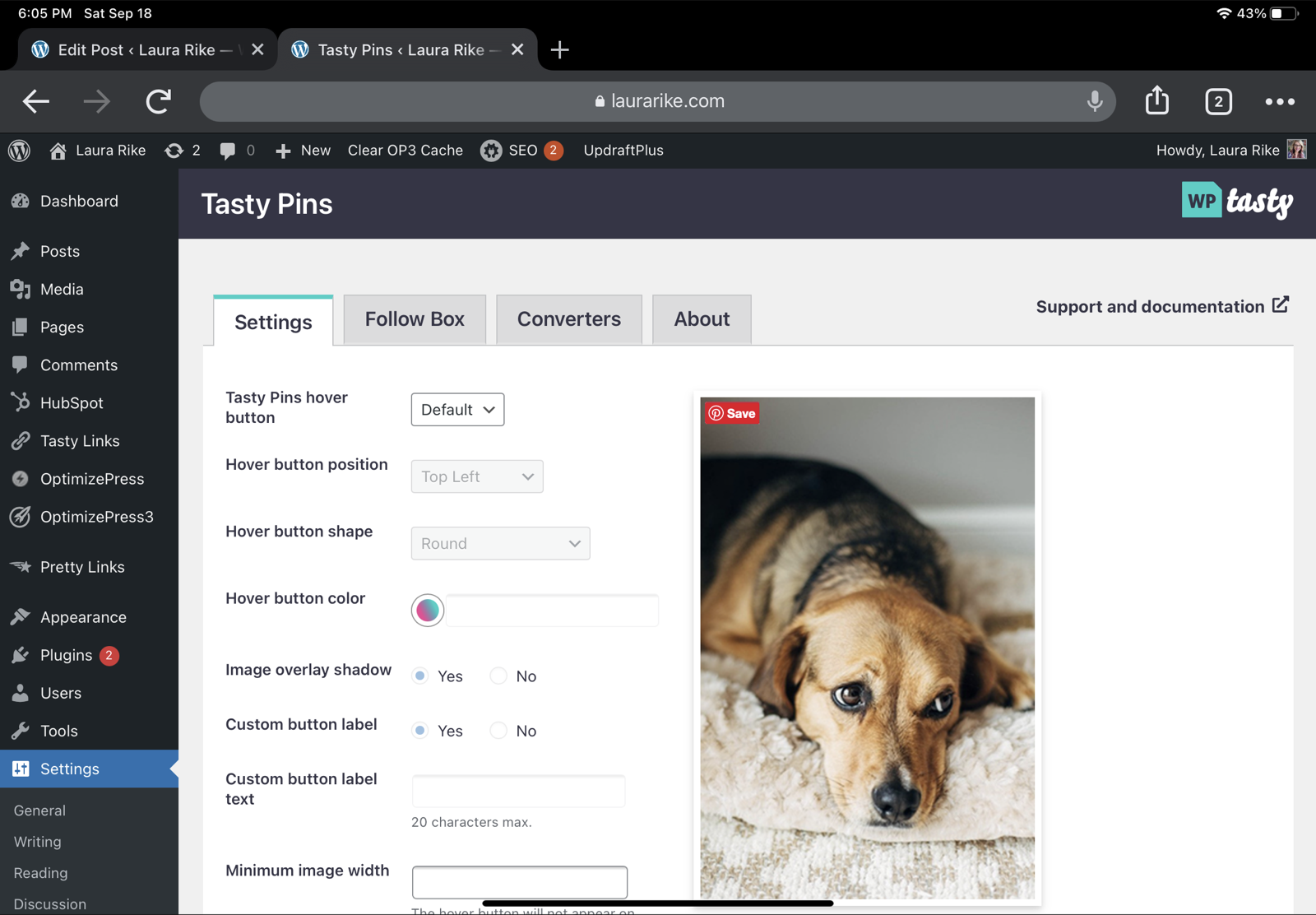
The tool gives you complete control over both the Pin Title and Pin Description for the images and hidden images in your blog posts.
This allows you to add in the correct keywords and hashtags needed to boost your Pins ranking on Pinterest’s search engine.
It also allows you to do other important tasks such as adding hidden images and forcing the pinning of hidden images, which we’ll get into later.
How to Use Tasty Pins
-
Create Pinterest Images For Your Blog Post The first step in using Tasty Pins is to create the images that will accompany your blog posts and be pinned to Pinterest. It’s worth remembering that the ideal image dimensions for a pin are 1000 x 1500 px or 2000 x 3000 px with an aspect ratio of 2:3.
-
Upload Your Pin Images Once you’ve created your Pinterest optimized images, you can upload them into the Pinterest Hidden Images folder in the WP Tasty Pins section of your WordPress editor.
-
Add Your Pin Title + Description After a little research into what keywords are trending in relation to the subject of your post and then add those to the default Pinterest title and default Pinterest Text. Tasty Pins will automatically populate these sections with those keywords when the image is pinned to Pinterest.
-
Pin Your Images Once you’ve gone through the above steps, all you need to do is hit the Pin It button to pin your images to Pinterest.
Features of the WP Tasty Pins Plugin
Set Pinterest Descriptions
This function allows you to add a keyword-optimized description to all of your pinnable images.Without WP Tasty Pins you have to use HTML code to set the pin descriptions for your pin, so setting keyword-optimized pin descriptions with the plug-in is a huge timesaver.
Utilize Alt Text for SEO and accessibility
The Alt Text section is an accessibility option that is meant to describe the image for the sight impaired. However, you can include one or two keywords in that description.
Having separate sections to add your alt text (for Google) and Pin description (for Pinterest) is the best way to keep accessibility in mind and have your image set up properly for search engines.
Just make sure though your focus for Alt text should be on the accessibility (for the visually impaired). This is why alt text was originally created. Write exactly what the image is and be as descriptive as possible, focusing on the image features + any tet overlay. Pretend like you are trying to visualize it with your eyes close and think about what that process is and what you focus on to help you draw that picture in your mind.
Setting up your alt text properly also means you are improving the searchability of your images in Google.
Hide Pinterest-specific images from your page
Instead of using images in a Pinterest-specific format on your blog post, you can use standard images and hide all the Pinterest-specific images on the page.
Force Pinning of Hidden Images
When users click on the Pin It button, the WP Tasty Pins Plugin forces the use of the Pinterest-specific images, complete with keywords, as the pin, insead of the blog-optimized images.
Disable Pinning on Certain Images
The WP Tasty Pins Plugin will allow you to disable the pinning of certain images to make sure only the Pinterest-optimized images are available.
Add a Hover Button on All Images
The WP Tasty Pins Plugin allows you to add a customizable Pin It Hover Button that will appear over all your images.
Pinterest Follow Box
The Pinterest Follow Box is a feature exclusive to the WP Tasty Pins Plugin that allows users to follow you on Pinterest with a single click of a button.
What is Pinterest Repin ID?
Another feature of the WP Tasty Pins Plugin is the ability to use a Repin ID. When a user repins an image from your site, each repinned image is treated as a new image by Pinterest, spreading out the interest in your content over multiple images. A Repin ID consolidates all your repins into one pin, increasing its performance. If you’ve been using Pinterest for a while you’ll know how important repins (saves) are for the overall performance of your pin. Typically the higher the repins (saves), the higher your impressions will go – meaning Pinterest will show your pin to more people.
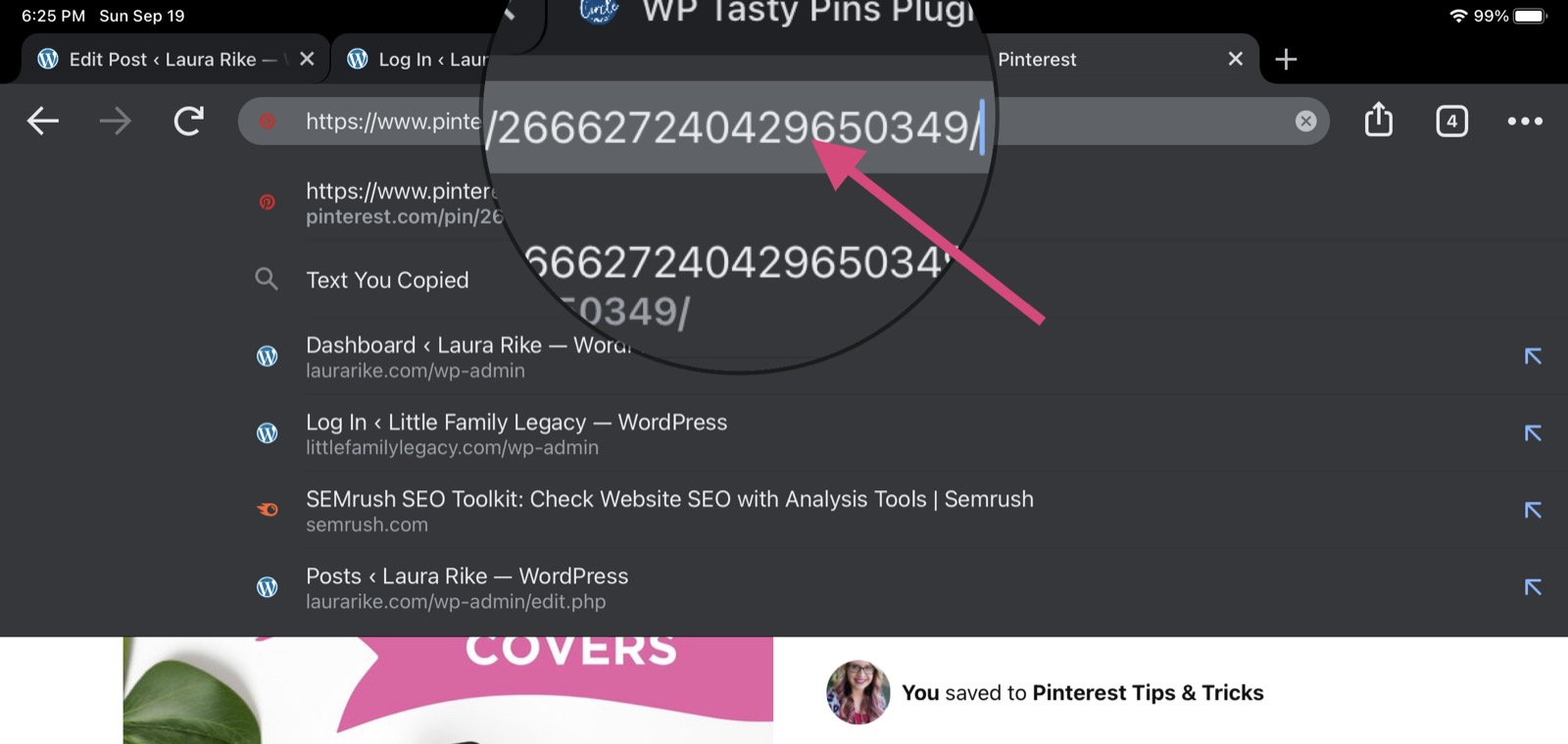
To use the PIN ID feature, simply copy the numeric code at the end of the original pin URL as shown below.
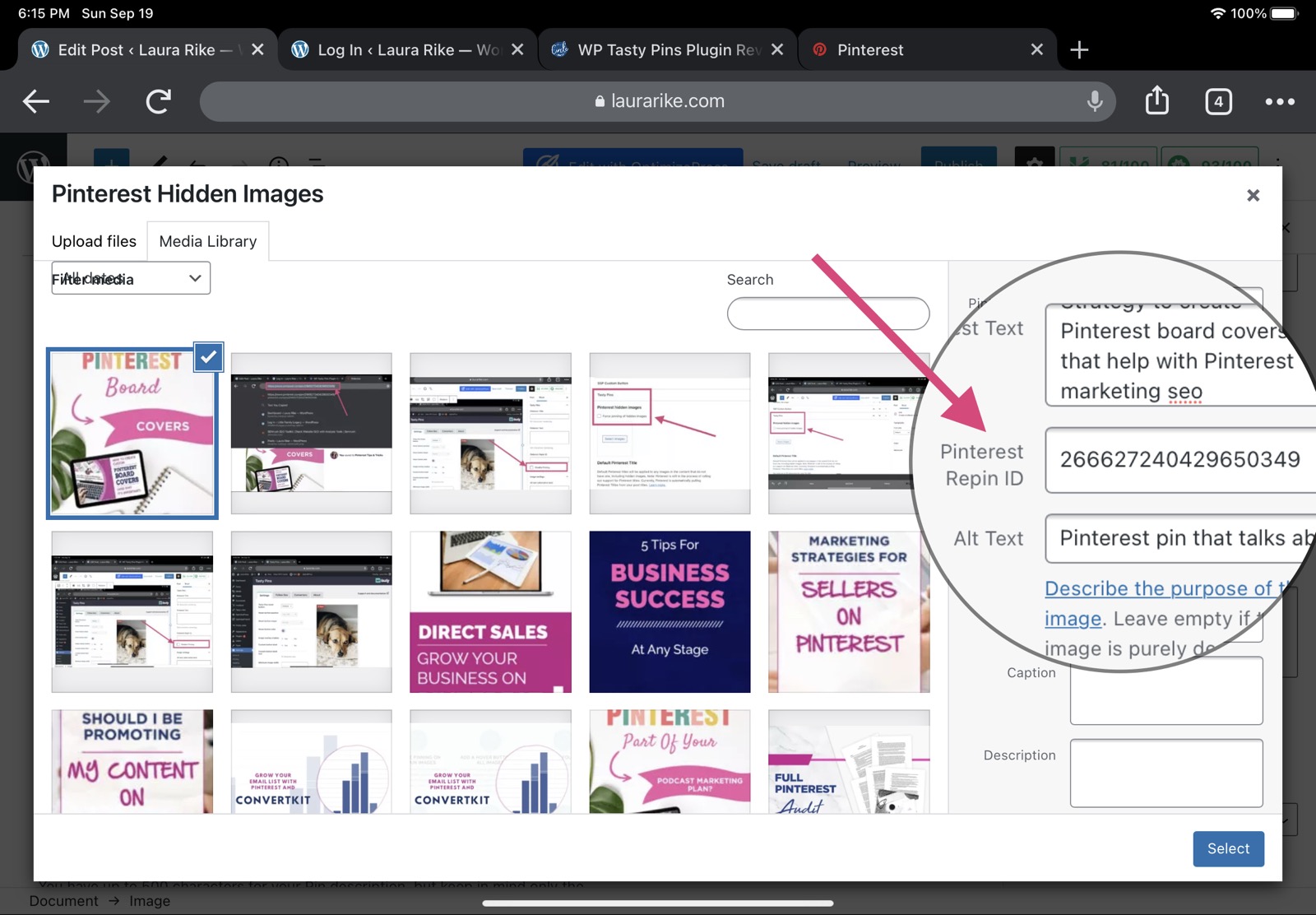
Then paste it into the Tasty Pins plugin (for each pin) where it says ‘Pinterest repin ID’ as shown below.
Why Choose WP Tasty?
-
Future-Proofing Your Pinterest Marketing Strategy With Tasty Pins The team behind Tasty Pins is constantly looking to stay ahead of the curve when it comes to keeping your images Pinterest optimized. A good example of this is the Pin Title box. Currently Pinterest does not support a custom pin title, but it has indicated that it might in the future. To stay ahead of the curve, Tasty Pins has already added support for it in anticipation of its launch. That kind of future proofing is exactly the kind of support you need to optimize your Pinterest marketing.
-
Ready to Get Serious about Pinterest Search? With Tasty Pins, you can take full advantage of that fact that Pinterest is a visual search engine, using search optimized content to bring a whole new audience to your blog.
How Will the Tasty Pin Plugin Bring More Views to Your Blog?
Pinterest currently has 454 million monthly active users worldwide, but using the Tasty Pin Plugin, you can tap into that huge number of users, drawing them to your blog with Pinterest optimized images and keywords. In short yes I believe that when all the features are used, and set up correctly it can not only improve the time investment into your Pinterest marketing strategy but also help aide you in bringing more views to your blog, products, or services online!
How does Tasty Pins Keep both Google and Pinterest Happy?
One of the main benefits of the Tasty Pins plug in is that it allows you to use traditional SEO techniques to keep your Google ranking high, while also using Pinterest optimized images and keywords to appear at the top of search results on the platform.
How Much is Tasty Pins?
Currently, Tasty Pins is just $29 USD per year.Tasty Pins is 100% worth the $29/year subscription. You will see your Pinterest referral traffic grow significantly by having great Pins on Pinterest that have strong Titles and Descriptions.


