
Step-by-Step Guide: What To Do When Pinterest Blocks Your Website
There has been an increase in websites being marked as “spam” on Pinterest lately, with accounts even being fully shut down or their pinterest account suspended. This means people’s websites are becoming blocked and every one of their links is being considered spam. If this is you, don’t worry. I have a solution for you. With that being said, please also consider that the way you are scheduling your pins or the activity taking place on your account may actually be the reason you are here in the first place. Check out the best practices of Pinterest Marketing since it went public.
Why would pinterest suspended my account?
I am a Pinterest junkie. I absolutely love managing client accounts, diving into learning with my mentors and crafting designs that are a smack in the face click-worthy designs. So imagine my surprise when (three years ago) I logged in one day to my account, and my traffic tanked.
Like started declining 48-72 hours before (and I didn’t notice because I was knee deep in client accounts). When I started investigating, I find out I have been blocked!!! There is absolutely nothing “spammy” about my site.
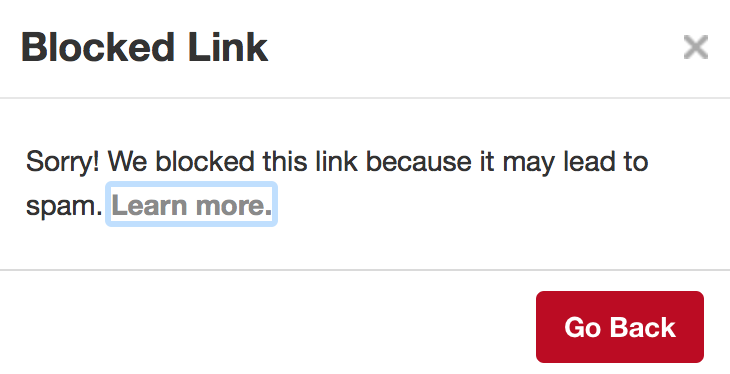
I have heard of this happening to people before and they say a message similar to this one:
Pinterest is my biggest source of traffic so a loss of Pinterest is a major hit to my business. So naturally I wanted to contact someone about this but unfortunately unless you are a huge brand…
There is no:
-
Direct Customer Support
-
Chat Windows
-
Numbers to Call
There is*** literally*** no direct help. There is only a FAQ page which will eventually lead you to a button that you can click on that will redirect your to a form… You will need to get to this form.
To help make this process a bit easier, here is the link: Pinterest Help Center.
Follow these instructions:
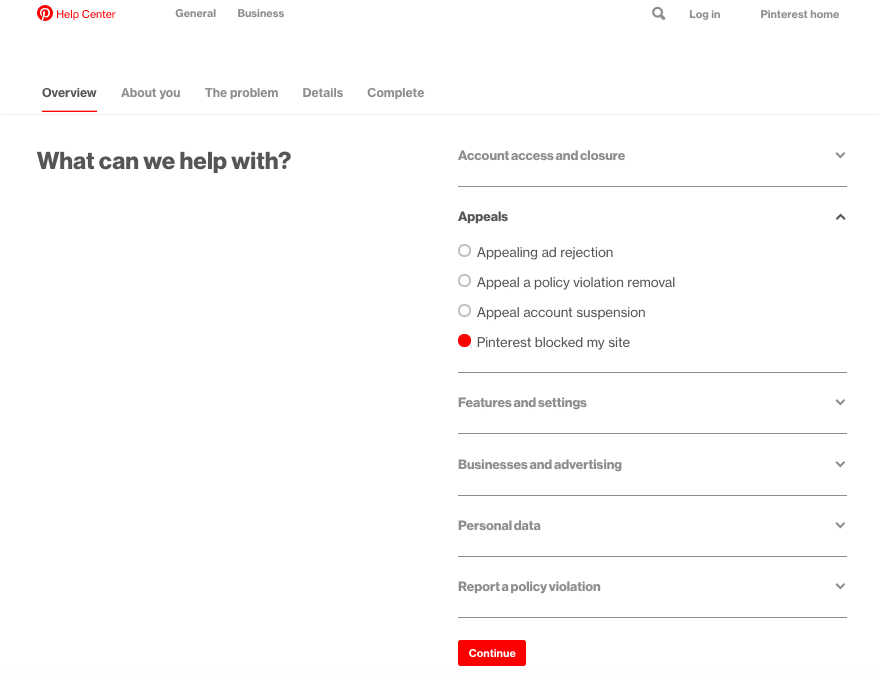
CLICK ON “WHAT DO YOU NEED HELP WITH?” BOX
You will see “What can we help with?” box. Click on “Pinterest blocked my site”.
CHECK THE “GET MORE HELP” TAB
Be sure to click on “A Pin from my website is blocked for Spam”.
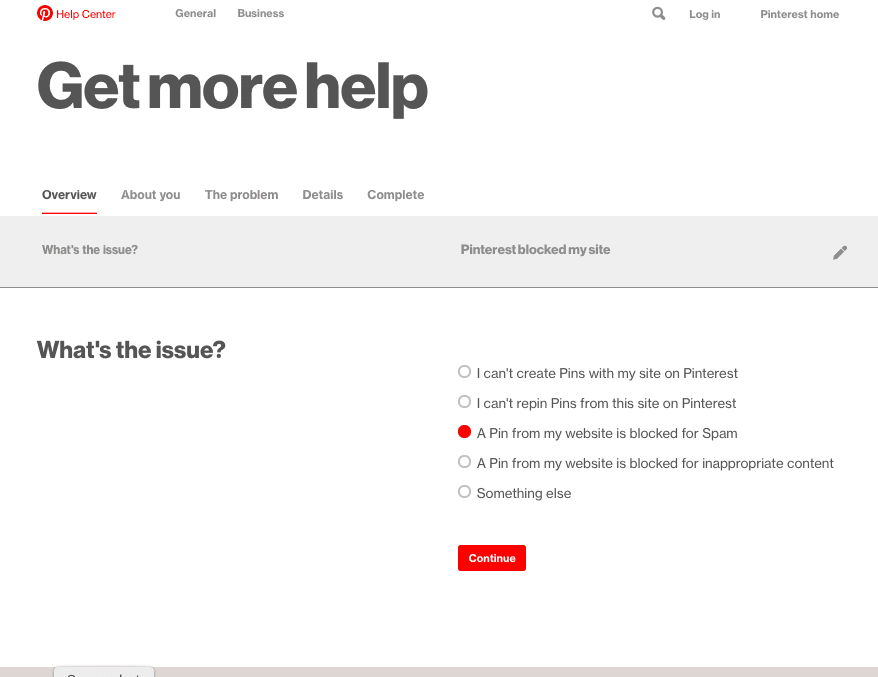
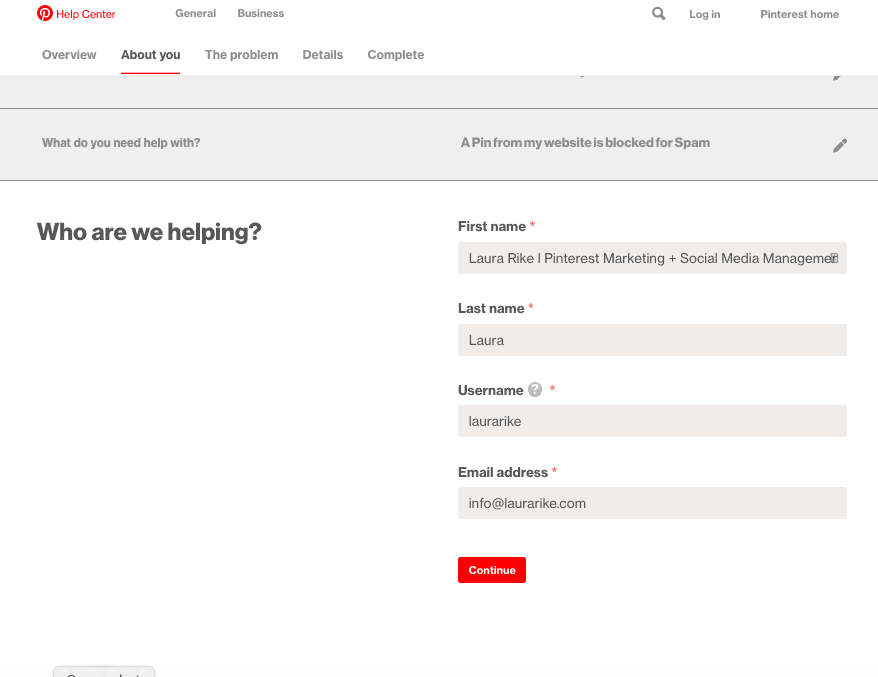
FILL OUT YOUR INFORMATION
Once you click continue, you will be shown a box with part of your information already filled in. Complete this form and click continue again.
FILL OUT THE POPUP FORM
Once you click continue, you will receive a form box to your right as shown below. You will have to fill out that box. For title put ” Pinterest incorrectly blocked my site” or something similar.
In “Description” put ” My site was incorrectly blocked…” or “pinterest account suspended” with a short detail. If your WHOLE site is blocked (every pin is marked as spam) then be sure to add that to your message.
Also, you MUST add
-
Your Website URL
-
A link to a pin that is showing that it’s blocked (if you are unsure of one – I just grabbed one of my pins that use to bring in LOADS of traffic that is now stalled).
Then (this is *** important*) copy that exact description you just wrote because you will need it again.**
Above is an example of the Pinterest Help Form that appears when trying to appeal the block.
SUBMIT THE INFORMATION
After you hit submit you NEED TO WAIT to receive an email confirmation. This may take some time to hit your inbox; however, you must be ready when it does (be sure to check spam, social, or promotional folders if you don’t see it). **You will need to respond in a timely matter. **
PINTEREST WILL SEND YOU AN EMAIL
Responding to this email is ESSENTIAL to them fixing the issue. Be sure to watch for the email (it may end up in spam).
RESPOND TO THE EMAIL
Copy and paste your original message.
Send it and you are done!
This should be addressed within 48 hours. If it isn’t, then try to contact them again. Another piece of advice I received from a blogger was to also have other bloggers report the issue for you and/or have Tailwind (if you have an account) help you out as well.


